Best Electronics Projects Using Arduino: A Comprehensive Buying Guide
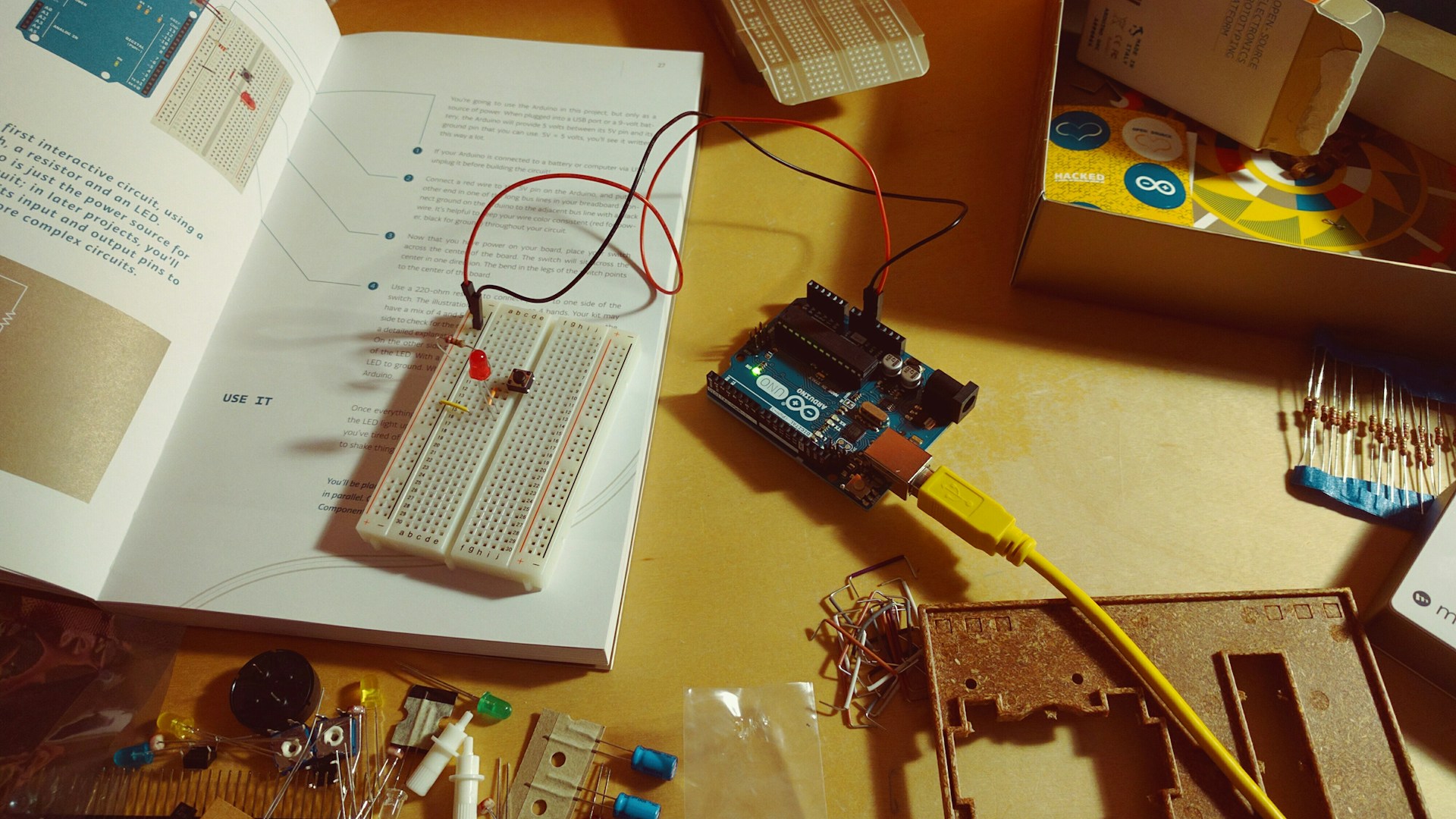
Table of Contents
Quick Picks Box
Best Overall: Arduino Starter Kit - Price: $100-$120
For those new to Arduino, this comprehensive starter kit provides essential components and project guides that ensure a solid foundation.
Best Budget: Elegoo UNO Project Super Starter Kit - Price: $40-$50
This kit is an affordable alternative for beginners, offering a variety of components without sacrificing quality.
Best for Home Automation: Sonoff Basic WiFi Smart Switch - Price: $10-$15
Perfect for IoT enthusiasts wanting to automate home devices easily with Arduino integration.
What to Look For
1. Project Complexity
Identify the difficulty level that suits you best. Beginner projects often require basic coding and circuit assembly, while advanced projects may challenge your knowledge of electronics and programming. Starting gently will build your confidence for more complex undertakings.
2. Component Quality
Choose components from reputable brands. Cheap components may save you a few bucks upfront but can lead to frustration with failures or inconsistent performance. High-quality sensors and boards result in greater reliability and easier debugging.
3. Community Support
Select projects with a robust online community. Whether through forums, videos, or blogs, having access to collective knowledge can be invaluable when you encounter problems or need advice. Check places like Arduino forums or Reddit communities dedicated to DIY electronics.
4. Documentation and Guides
A good project should come with detailed documentation, including schematic diagrams and step-by-step instructions. Poorly documented projects can lead to confusion and mistakes, adding unnecessary difficulty to your experience.
5. Future Expandability
Consider how your chosen project can evolve. Projects that allow for upgrades or additional features provide ongoing learning and engagement. A simple LED project may quickly become repetitive, but expanding it to a fully automated system could keep you stimulated.
Our Top Picks
1. Arduino Starter Kit
- Price Range: $100-$120
- Why It Won: It’s the official kit recommended for beginners, packed with 15 projects and a detailed tutorial booklet.
- Who It’s For: Newcomers who want to dive into the world of Arduino with a guided approach.
- One Drawback: It can feel a bit pricey compared to other kits, but the quality justifies the cost.
2. Elegoo UNO Project Super Starter Kit
- Price Range: $40-$50
- Why It Won: An excellent balance of price and components, with over 22 different types of modules to explore.
- Who It’s For: Budget-conscious makers looking to learn without the hefty investment of the official kit.
- One Drawback: Documentation isn’t as polished as the Arduino Starter Kit, which may lead to some confusion for absolute beginners.
3. Sonoff Basic WiFi Smart Switch
- Price Range: $10-$15
- Why It Won: This simple device allows you to control home equipment via WiFi, making it a great entry point into IoT for Arduino users.
- Who It’s For: Makers interested in home automation projects without diving too deep into more complex setups.
- One Drawback: Basic functionality might not satisfy seasoned users looking for more control and customization.
4. Adafruit Circuit Playground
- Price Range: $80-$100
- Why It Won: This board includes a variety of built-in sensors and is designed with learning in mind, complete with tutorials that are beginner-friendly.
- Who It’s For: Educators or hobbyists wanting to explore basic programming while integrating multiple functionalities.
- One Drawback: Less support for traditional Arduino libraries might confuse those familiar with standard Arduino IDE practices.
5. Raspberry Pi vs. Arduino for Advanced Projects
- Price Range: $35-$60 (for the Pi)
- Why It Won: While not an Arduino, the Raspberry Pi can complement your Arduino projects with greater processing power and networking capabilities.
- Who It’s For: Advanced makers wanting to integrate robust applications such as machine learning or complex data analysis.
- One Drawback: It has a steeper learning curve, especially if you’re transitioning from Arduino.
What to Avoid / Red Flags
-
Overpriced Components: Beware of products promoted in flashy ads claiming exceptional capabilities but lacking user reviews. Many products marketed as “premium” can be just poor repackaged versions of standard parts.
-
Lack of Documentation: Avoid kits or projects without sufficient guides. If you can’t find a tutorial or support community, you might be left floundering.
-
Unreliable Sellers: Research sellers before purchasing, especially if you’re buying from online marketplaces. Look for verified reviews and customer feedback to ensure you’re getting quality components.
-
Unsupported Versions: New versions of Arduino boards might come with quirks that are not yet resolved. Play it safe with well-established versions like the Arduino Uno or Mega.
FAQ
What is the best Arduino board for beginners?
The Arduino Uno is the go-to option due to its simplicity and extensive community support. It’s well-documented and has enough power for most beginner projects.
Can I use Arduino for IoT projects?
Absolutely, Arduino can be used in IoT projects, especially with WiFi-capable boards like the ESP8266 or integrations with modules such as Sonoff.
What tools do I need to work with Arduino?
Basic essentials include a soldering iron, wire strippers, a multimeter, and a programmer like the Arduino IDE for coding your projects. Depending on your projects, you might also consider getting a breadboard for easy prototyping.
How long does it take to learn Arduino?
This varies by individual. However, with consistent practice and projects, you can start tackling basic Arduino projects in a few weeks, while mastering advanced concepts may take months.
Are Arduino projects only for electronics enthusiasts?
Not at all! Arduino projects cater to various interests, including art installations, robotics, home improvement, and IoT. Creativity is your only limit when integrating Arduino into your work.
Recommended Tools & Products
![Arduino UNO R4 WiFi [ABX00087] - Renesas RA4M1 + ESP32-S3, Wi-Fi, Bluetooth, USB-C, CAN, 12-bit DAC, OP AMP, Qwiic Connector, 12x8 LED Matrix for Advanced IoT & Embedded Projects](https://m.media-amazon.com/images/I/614tXIQWSRL._AC_SL1000_.jpg)
Arduino UNO R4 WiFi [ABX00087] - Renesas RA4M1 + ESP32-S3, Wi-Fi, Bluetooth, USB-C, CAN, 12-bit DAC, OP AMP, Qwiic Connector, 12x8 LED Matrix for Advanced IoT & Embedded Projects

ELEGOO UNO R3 Board ATmega328P with USB Cable(Arduino-Compatible) for Arduino | Compatible with Arduino IDE Projects, 32KB Flash Memory, 16Mhz Clock Speed, 14 Digital I/O Pins, RoHS Compliant
